
Carve ist die Planner 5D-Alternative für schnelles, fotorealistisches Rendering
Planner 5D ist eine Consumer-App für Heimdesign mit KI-gestützter Grundrisserkennung und Styling. Carve ist ein professioneller KI-Renderer für Architekten und Immobilienteams. Sie bedienen unterschiedliche Bedürfnisse, daher folgt hier ein ehrlicher Vergleich.
 Carve
CarveCarve vs Planner 5D: auf einen Blick
Planner 5D is built for designing a space yourself. You lay out rooms, furnish them, and view the result in 3D across web and mobile, with AI helping recognize floor plans and arrange furniture. For DIY home projects, it's approachable and affordable.
Carve is built for rendering designs you already have. Upload a sketch, a CAD export, or a photo and get a photoreal image in seconds, with virtual staging and short video. It doesn't help you lay out a room from scratch.
These are different tools. Planner 5D is for planning and furnishing a space; Carve is for turning an existing design into photoreal visuals.
Carve
Browserbasiertes KI-Rendering für Architekten, Innenarchitekten und Immobilienteams
$29
/mo
Strengths
- Fotorealistische KI-Renders in Sekunden
- Renders aus Skizzen, CAD und Fotos
- Virtuelles Staging, 4K und Kurzvideos
- Für clientfertige Ergebnisse entwickelt
Limitations
- Kein Werkzeug, um einen Raum von Grund auf neu zu gestalten
Planner 5D
DIY-3D-Heimdesign mit KI-Grundrisserkennung und Styling
$5
/mo
Strengths
- Design und Einrichtung eines Raumes von Grund auf
- Zugänglich für Nicht-Designer
- Funktioniert auf Web und Mobilgeräten
- Günstige Consumer-Pläne
Limitations
- Nicht für fotorealistische KI-Renderings gebaut
- Kein CAD oder Sketch zu fotorealistischem Render
- Kein virtuelles Staging oder Video
Anerkennung, wo Anerkennung gebührt
Planner 5D hat einer großen Zahl von Menschen geholfen, ihre Zuhause zu gestalten und zu visualisieren, ohne jede 3D-Erfahrung, auf nahezu jedem Gerät. Für DIY-Grundrisse und Einrichtung ist es wirklich zugänglich und gut gemacht.
Diese Seite soll das nicht in Frage stellen. Planner 5D und Carve lösen schlicht unterschiedliche Probleme, daher geht es beim folgenden Vergleich darum, welche Aufgabe Sie erledigen möchten, nicht darum, welches Tool besser ist.
3 Gründe, warum Carve die bessere Wahl ist als Planner 5D
Die drei wichtigsten Gründe, warum Teams von Planner 5D zu Carve wechseln.
Fotorealistische KI-Visualisierung
Carve verwandelt eine Skizze, einen CAD-Export oder ein Foto in Sekundenschnelle in ein fotorealistisches Bild. Planner 5D erzeugt 3D-Designansichten, keine KI-fotorealistischen Renders.
Funktioniert mit deinem bestehenden Design
Render direkt aus einem CAD-Export oder einer Skizze. Planner 5D erwartet, dass du das Modell zuerst darin aufbaust.
Für clientfertige Ergebnisse entwickelt
Virtuelles Staging, 4K und kurze Videos zielen auf professionelle Ergebnisse ab. Planner 5D richtet sich an DIY-Design.
Ein grundlegend anderes Rendering-Erlebnis
Planner 5D ist ein Designtool: Sie bauen ein Raummodell und richten es ein. Carve ist ein Rendering-Tool: Sie bringen einen vorhandenen Sketch, CAD-Export oder ein Foto mit, und es erzeugt mit KI ein fotorealistisches Bild.
Der praktische Unterschied liegt im Ausgangspunkt. Planner 5D beginnt bei null und hilft Ihnen beim Planen. Carve beginnt bei Ihrem Entwurf und lässt ihn real aussehen.
Warum moderne Büros Carve statt Planner 5D wählen
Fotorealistische Ergebnisse in unter einer Minute
Carves KI-Pipeline liefert ein fertiges, fotorealistisches Bild in unter einer Minute, direkt im Browser. Es gibt keine Szene zusammenzustellen und keine lokale GPU, auf die man warten müsste.
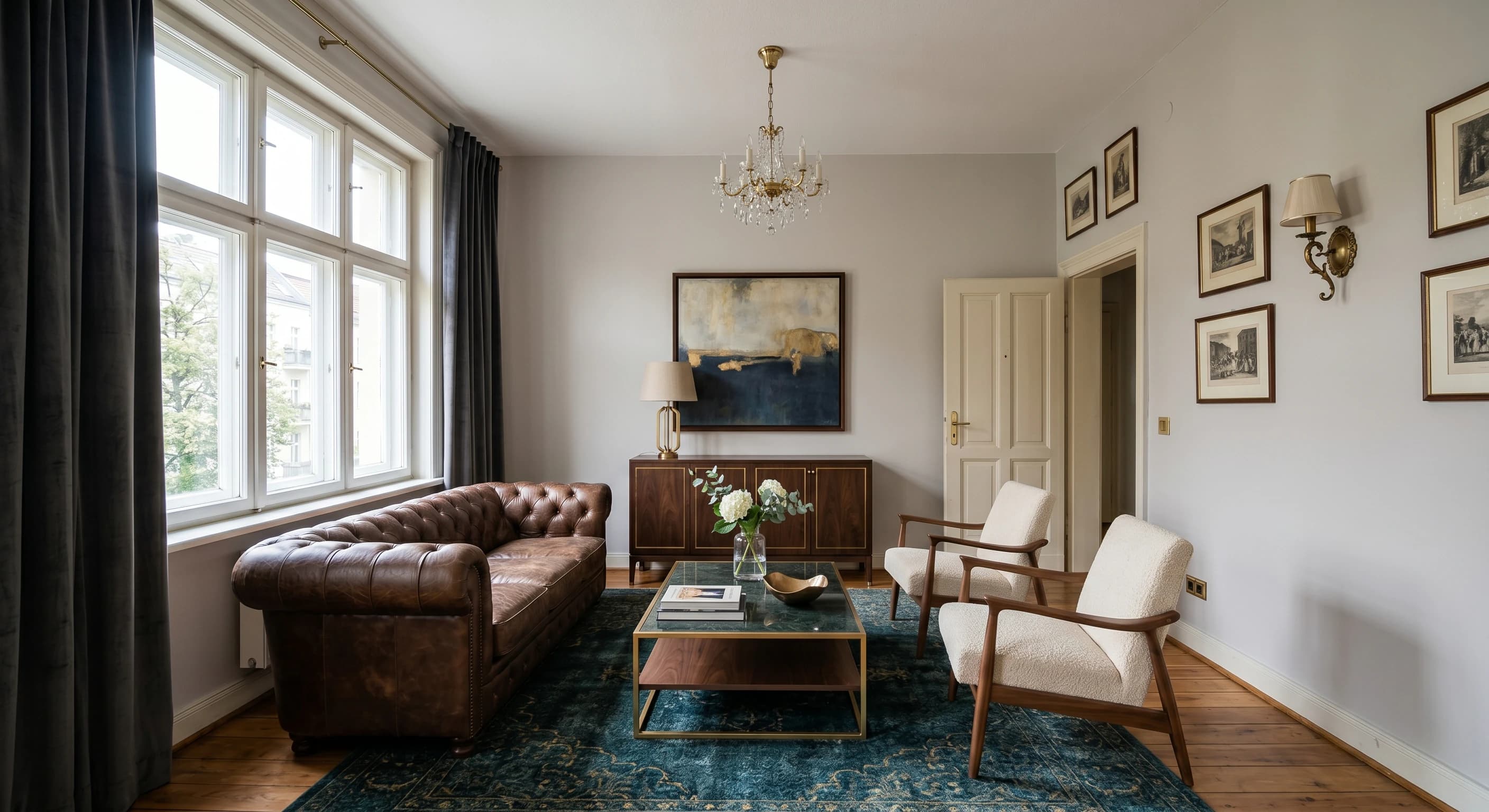
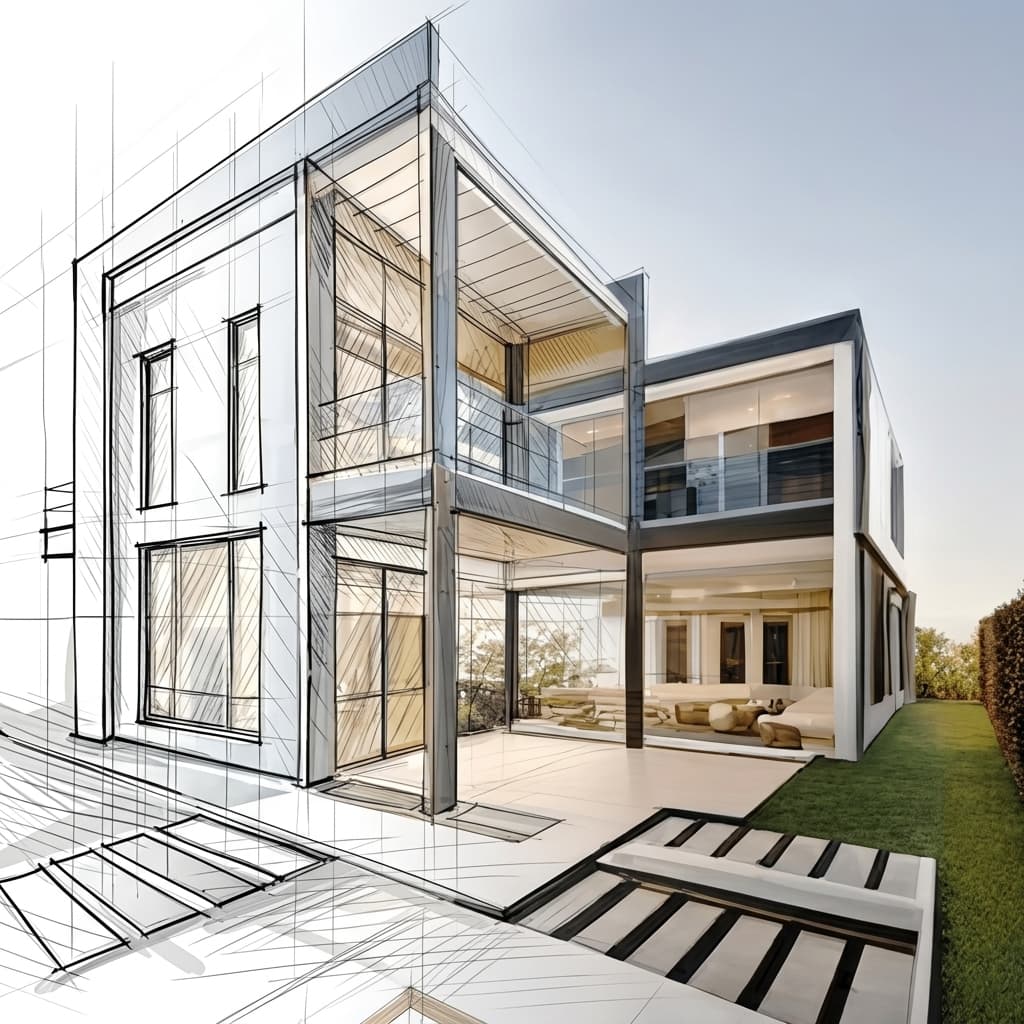
Render direkt aus einer Skizze oder CAD
Laden Sie eine Handskizze, einen CAD-Export oder ein SketchUp-Modell hoch und Carve rendert direkt daraus. Tiefen- und Kantenführung hält die Geometrie exakt so, wie Sie sie entworfen haben.
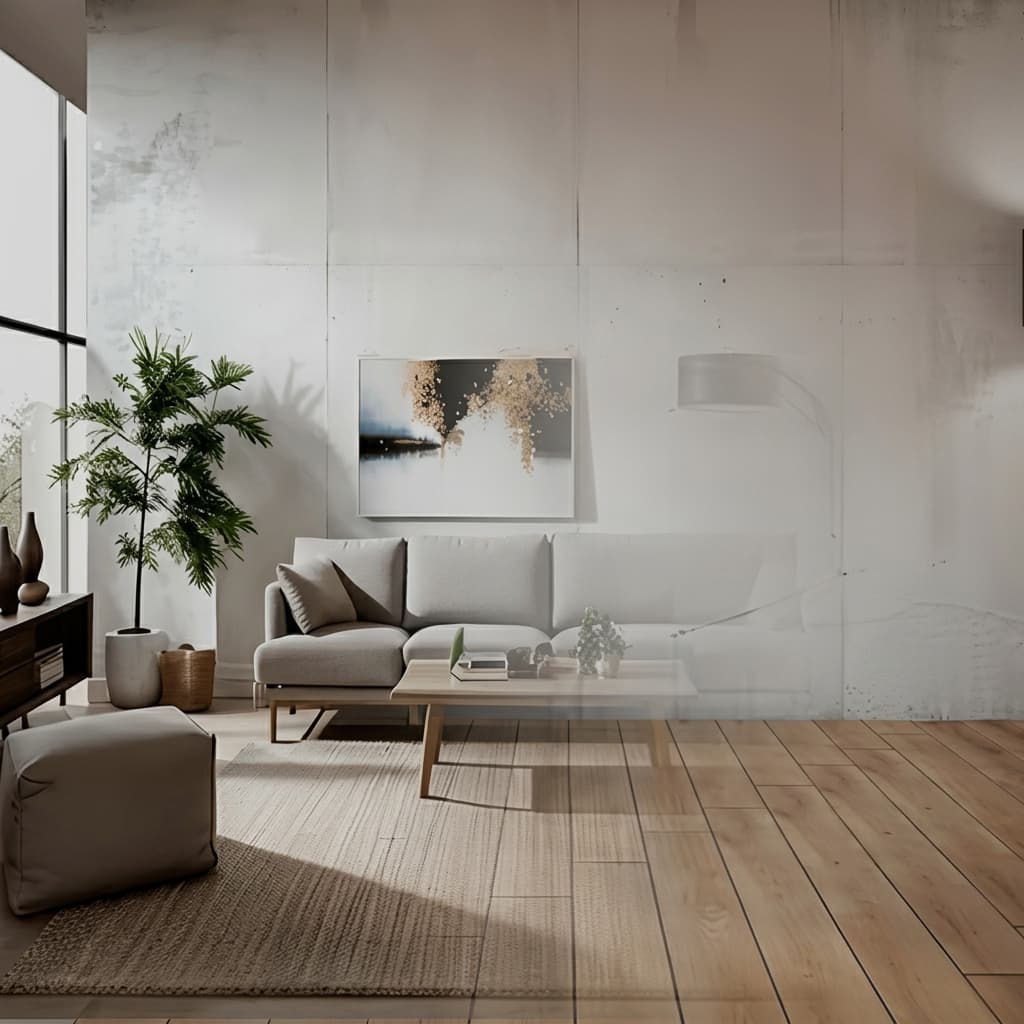
Virtuelles Staging aus einem einzigen Foto
Richten Sie ein leeres Zimmer anhand eines einzigen Fotos ein und gestalten Sie es neu. Kein 3D-Modell, kein manuelles Einrichten, nur ein inszenierendes, exposéfertiges Bild.
Keine Installation, läuft auf jedem Gerät
Carve läuft vollständig in der Cloud, es gibt also nichts herunterzuladen und keine GPU zu kaufen. Melde dich von jedem Browser auf Mac, Windows oder Chromebook an und erstelle Renders aus Exporten von Revit, SketchUp, Rhino und mehr.

Ein Bruchteil der Kosten
Carve beginnt bei 29 $ pro Monat, ohne Jahresvertrag und ohne Hardware-Anschaffung. Du erhältst fotorealistische, präsentationsfertige Renders für einen Bruchteil der Kosten eines traditionellen Rendering-Studios oder einer Desktop-Suite.

 Pushpit, Mitgründer
Gründergeführter Support
Die Rendering-Engine von Carve wird von KI angetrieben, doch der Support dahinter kommt von den Menschen, die das Produkt entwickeln. Erreiche das Team direkt per E-Mail und Live-Chat und erhalte echte Antworten, meistens innerhalb weniger Stunden.
Preisvergleich
Carve$29/mo (50 credits)
$5/mo (Premium)
Kategorie für Kategorie im Überblick
6 Bereiche, in denen sich die beiden Tools am stärksten unterscheiden. Carve gewinnt 3, Planner 5D gewinnt 3.
Fotorealistisches Rendering
CarveCarve erstellt fotorealistische AI Renders. Planner 5D erstellt 3D-Designansichten.
Einen Raum von Grund auf gestalten
Planner 5DPlanner 5D ist dafür gemacht, Räume zu planen und einzurichten. Carve rendert bestehende Designs, keine Grundrisse.
Eingabe aus CAD oder Skizze
CarveCarve erstellt Renders aus CAD-Exporten und Skizzen. Planner 5D erwartet, dass du direkt darin modellierst.
Einfachheit für Nicht-Designer
Planner 5DPlanner 5D ist für Hausbesitzer und Hobbyisten gedacht, die ohne 3D-Kenntnisse gestalten möchten.
Professionelle Ergebnisse
CarveCarve richtet sich an präsentationsreife Renders, Staging und Video. Planner 5D zielt auf DIY-Projekte ab.
Preis
Planner 5DDie Verbrauchertarife von Planner 5D beginnen günstiger, was den DIY-Fokus der Plattform widerspiegelt.
Funktionsvergleich
CarveBased on each tool's publicly listed features. Planner 5D capabilities may change.
Für wen ist Planner 5D am besten geeignet?
Planner 5D ist die bessere Wahl, wenn du einen Raum selbst gestalten und einrichten möchtest. Planner 5D eignet sich besser, wenn du:
- einen Raum oder Grundriss von Grund auf planst
- Möbel anordnen und in 3D betrachten möchtest
- Hausbesitzer oder Hobbyist bist und kein Rendering-Profi
- ein kostengünstiges Tool für Web und Mobilgeräte suchst
Für wen ist Carve am besten geeignet?
Carve ist die bessere Wahl, wenn Geschwindigkeit, Kosten und Zugänglichkeit an erster Stelle stehen. Entscheiden Sie sich für Carve, wenn Sie:
- kein dediziertes Rendering-Team haben
- mit engen Kundenfristen arbeiten
- schnell Konzept- und Marketingvisualisierungen benötigen
- auf einem Mac, unter Windows oder im Browser arbeiten möchten
- auf die Kosten pro Bild achten
Welche solltest du wählen?
Carve wins2CAD-Export fotorealistisch rendern
Carve erzeugt fotorealistische Renders aus einem Entwurf; Planner 5D nicht.
Staging eines Listing-Fotos
Carves virtuelles Staging wurde für die Immobilienbranche entwickelt.
Ein Zimmer selbst planen und einrichten
Planner 5D ist für DIY-Grundrissplanung und Einrichtung konzipiert.
Verdict
Abschließendes Urteil
Planner 5D und Carve sind unterschiedliche Werkzeuge. Planner 5D dient dazu, einen Raum selbst zu gestalten und einzurichten; Carve verwandelt ein bestehendes Design in fotorealistische Renders. Wenn Sie einen Raum planen möchten, nutzen Sie Planner 5D. Wenn Sie fotorealistische Visualisierungen aus einem Design benötigen, nutzen Sie Carve.
Vergleiche Carve mit anderen Tools
Gleiche Testmethodik, andere Gegenüberstellungen. Wählen Sie einen Mitbewerber.
Carve ist mehr als nur eine Alternative zu Planner 5D.
Laden Sie eine Skizze oder einen CAD-Export hoch und erhalten Sie einen photorealistischen Render in unter einer Minute – zu einem Bruchteil der Kosten von Planner 5D.
Kostenlos starten. Keine Kreditkarte erforderlich.
Häufig gestellte Fragen
Nur wenn du fotorealistische Renderings willst. Es sind verschiedene Werkzeuge: Planner 5D plant und richtet einen Raum ein, während Carve ein bestehendes Design fotorealistisch rendert.