
Renders con IA para Diseñadores de Interiores
Transforma habitaciones vacías, tableros de inspiración y bocetos en interiores fotorrealistas en menos de 60 segundos. Explora materiales, iluminación y distribuciones, y muestra a tus clientes exactamente lo que obtendrán antes de mover un solo mueble.
De habitación vacía a espacio hermoso, al instante
Sube una foto de una habitación vacía y selecciona un estilo predefinido. Carve la completa con muebles, texturas e iluminación, lista para mostrar a clientes en segundos.
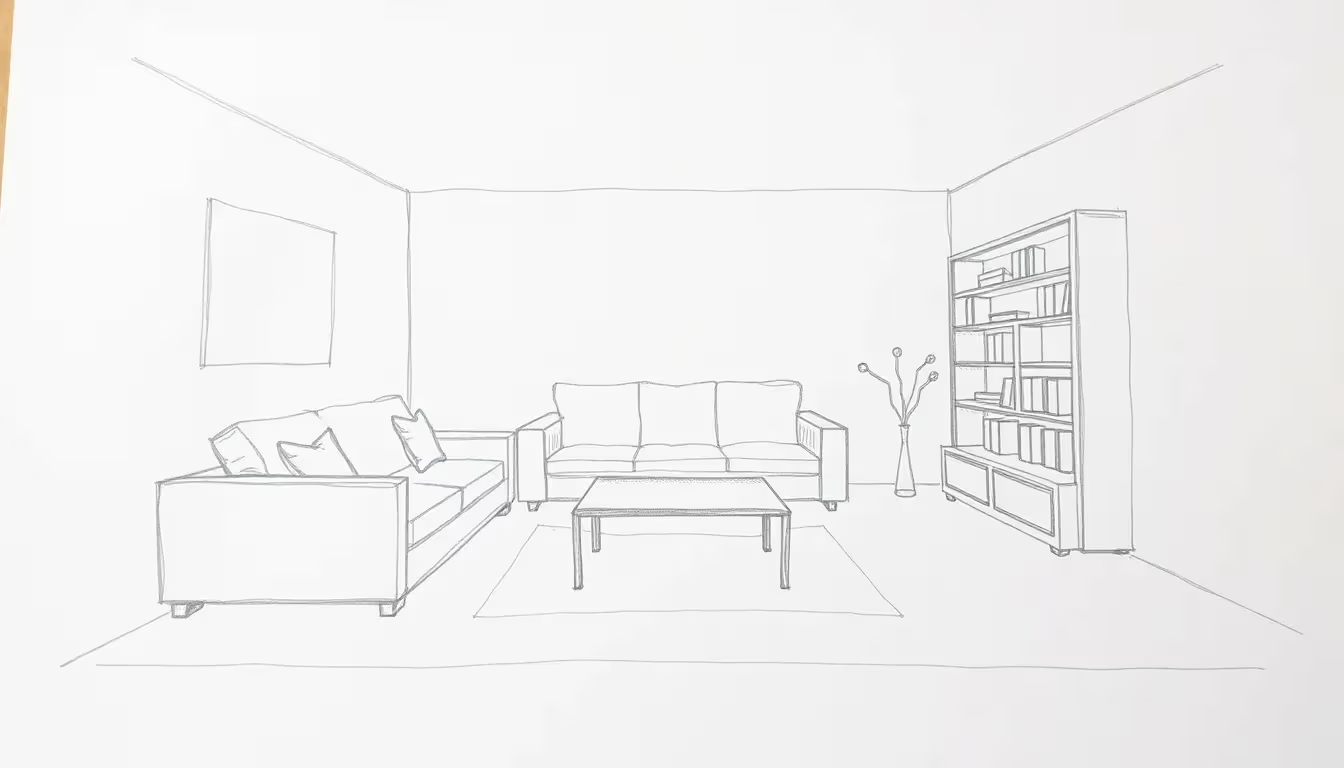 Habitación vacía
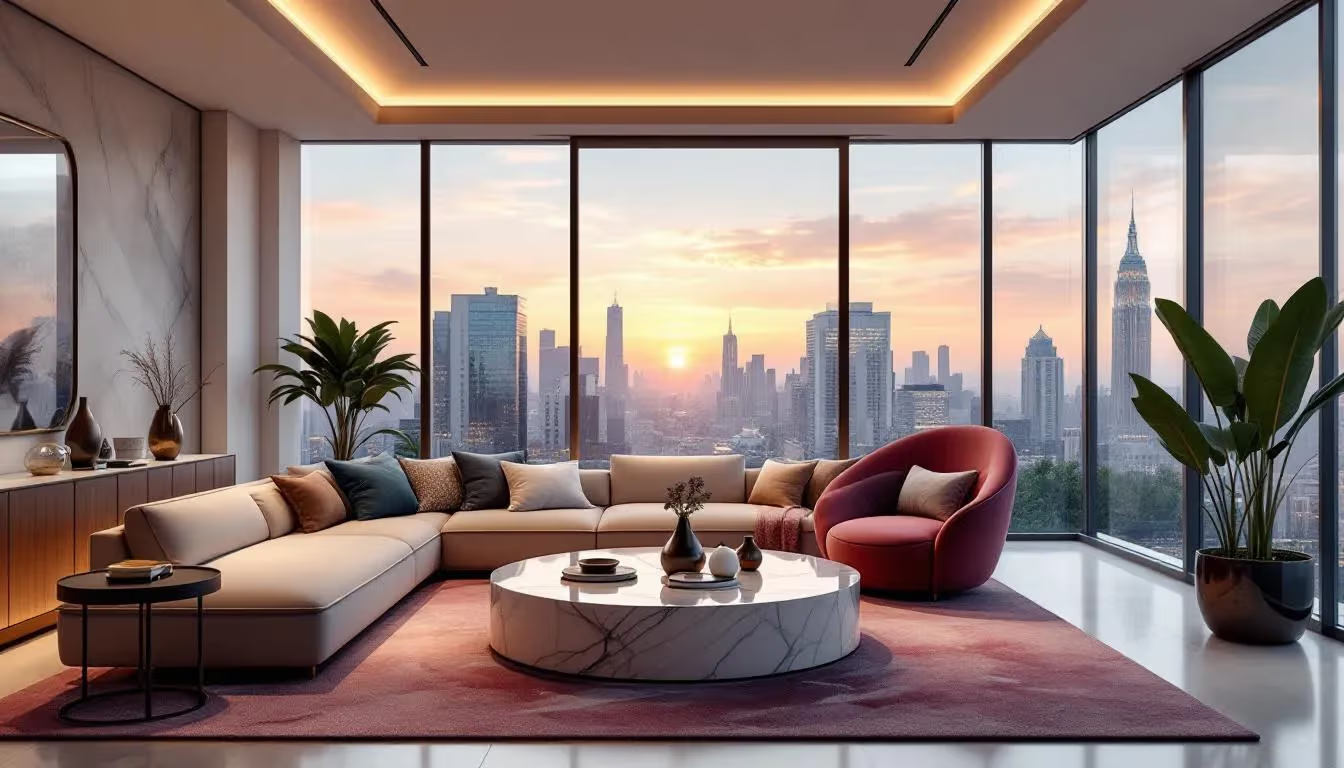 Interior con estilo
Los problemas que Carve resuelve
Antes de Carve
Los clientes no pueden visualizarlo
Los moodboards y muestras de telas dejan demasiado a la imaginación. Los clientes dudan, se detienen y solicitan revisiones interminables.
El staging es costoso
Montar físicamente un espacio para fotografiarlo cuesta miles de dólares. El staging virtual con herramientas tradicionales lleva días y requiere operadores 3D especializados.
Iteración lenta de materiales
Mostrar tres opciones de suelo implica tres solicitudes de Render separadas, tres resúmenes y tres rondas de retroalimentación, cada una con su propio período de espera.
Con Carve
Previews fotorrealistas que enamoran a los clientes
Muestra una habitación completamente estilizada antes de que se realice una sola compra. Los clientes aprueban más rápido cuando pueden ver el resultado.
Staging virtual en menos de un minuto
Sube la foto de un ambiente vacío, elige un estilo preestablecido y obtén un Render en 60 segundos, sin necesidad de un artista 3D.
Tres esquemas en cinco minutos
Genera múltiples variantes de materiales y colores al instante. Presenta las opciones en paralelo y permite que los clientes decidan en el momento.
Todo lo que necesitas para presenta con confianza
Staging virtual
Convierte cualquier habitación vacía en un espacio completamente amueblado y con estilo, ideal para listados de propiedades, casas piloto y presentaciones a clientes.
Preajustes de estilo
Elige entre Escandinavo, Japandi, Maximalista, Industrial y más. Cada preset está ajustado para el lenguaje interior.
Cambios de materiales y texturas
Reemplaza suelos, tapizados, colores de pared y acabados superficiales sin volver a fotografiar ni a generar un Render desde cero.
Simulación de iluminación
Visualiza la iluminación natural y artificial en distintos momentos del día para mostrar el espacio en su mejor luz.
Múltiples variantes de esquema
Genera tres o cuatro opciones de interior a partir de la misma imagen base. Presenta el abanico completo y deja que los clientes elijan.
Salida en alta resolución 4K
Cada Render se amplía automáticamente a 4K. Listo para imprimir en presentaciones para clientes, folletos y portafolios.
Tu estudio de staging virtual, en tu navegador
Renders en 60 segundos
Desde la carga hasta la imagen lista para el cliente, sin esperar a un artista 3D.
Gana más proyectos
Impresiona a los clientes en la fase de propuesta con visuales a los que pueden reaccionar de inmediato.
Reduce los costos de staging
El staging virtual reemplaza los costosos montajes físicos para propiedades en venta y pisos piloto.
Menos rondas de revisión
Los clientes aprueban más rápido cuando ven un resultado realista, no un mood board.
Opciones de estilo ilimitadas
Explora Japandi, Maximalista, Costera o Industrial, lo que el encargo requiera.
Resultados de calidad para portafolio
Presenta tu mejor trabajo con imágenes en 4K que parecen una sesión fotográfica profesional.
Preguntas de diseñadores de interiores
Fotos de habitaciones vacías, espacios parcialmente amueblados, bocetos a mano, planos de planta, mood boards o cualquier imagen de referencia interior, en formato JPG o PNG. Carve extrae la profundidad automáticamente para que las proporciones y la perspectiva se mantengan fieles al espacio original.
Listo para mostrar a los clientes ¿el espacio terminado?
Únete a los diseñadores de interiores que ya usan Carve para ganar más proyectos, reducir costos de montaje y cerrar clientes más rápido.