Upload any architectural render. Pick a cinematic camera movement. Get a client-ready MP4 in under 90 seconds. No video editing software needed.
6 credits per 5-second clip · no software to install
No timeline editors. No keyframes. No rendering farm.
Use any completed render from your project history, or upload a fresh JPG, PNG, or WebP. No 3D model or timeline editor required.
Choose from 20+ cinematic camera movements: aerial reveals, orbits, dolly pushes, glides, day-to-night timelapses, and more. Or write a custom prompt.
Veo 3.1 renders a 5-second cinematic video in ~90 seconds. Download as MP4, ready for client presentations or social media.
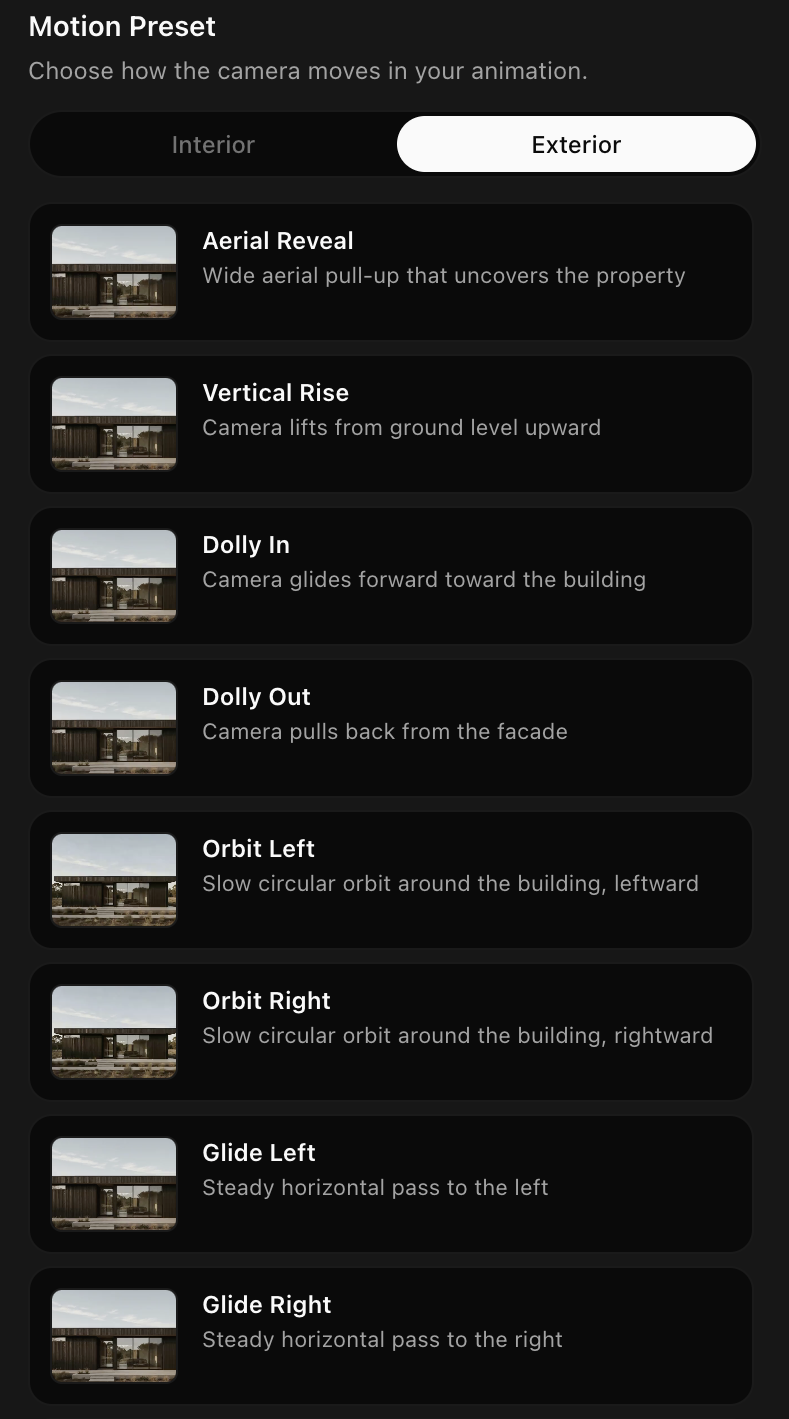
Hover any card to preview. Every preset is tuned for architectural scenes, not generic stock footage.
Camera pulls back and rises, revealing the full property and surrounding landscape. Cinematic drone footage, without the drone.
The camera arcs around the building at a fixed radius, showing every façade in one continuous move.
Camera pushes slowly into the scene, drawing the viewer's eye to a focal element: a fireplace, a window, a feature wall.
Smooth lateral camera movement at constant height. Natural parallax makes the space feel three-dimensional.
Golden afternoon light transitions to a lit night scene. Exterior lights and illuminated windows appear as the sky deepens.
Trees sway, water ripples, clouds drift. The building stays still; the world around it breathes.
Most "AI animation" tools are glorified morphing filters. Carve uses Veo 3.1, Google DeepMind's video generation model, to create true cinematic motion with realistic physics, depth-of-field, and consistent lighting throughout the clip.
For maximum control, upload two renders as bookends, one for where the animation begins, one for where it ends. Veo 3.1 interpolates a fluid cinematic transition between them. Perfect for before/after transformations, day-to-night shifts, or staged reveal sequences.
Show a renovation or redesign in a single smooth clip.
Set a daytime exterior as start, the same scene lit at night as the end.
Interpolate between two different style variants of the same space.
Animate directly from your project history. No re-uploading needed. Every render you've ever created in Carve is one click away.
Every completed render in your project tree is available as an animation source. Jump straight to Animate without leaving the studio.
Have a render from another tool? Drop in any JPG, PNG, or WebP and animate it directly. Carve isn't limited to its own renders.
Create a photorealistic render and animate it in the same session. The full pipeline, from CAD to cinematic video, lives in one place.
20+ motion presets. Powered by Veo 3.1. Client-ready in 90 seconds.
