
Carve es la alternativa a MyArchitectAI para renders fotorrealistas y rápidos
MyArchitectAI convierte exportaciones CAD y bocetos en renders fotorrealistas en segundos. Carve hace lo mismo, además de staging virtual y un flujo de trabajo basado en proyectos. Los dos son muy similares, así que aquí va una comparación honesta.
 Carve
CarveCarve vs MyArchitectAI: de un vistazo
MyArchitectAI and Carve are direct competitors. Both are browser-based AI renderers that take a sketch or CAD export and return a photoreal image in seconds, and their pricing tiers are nearly identical at $29, $49, and $99 a month.
The core render-and-enhance loop is comparable. Where they differ: Carve adds virtual staging for listings and organizes work as a branching project, while MyArchitectAI keeps a clean, focused render-edit-enhance flow with unlimited renders even on the entry plan.
For most CAD-to-render work, either tool delivers. The deciding factors are virtual staging, workflow, and whether you want video on the entry plan.
Carve
Renderizado con IA en el navegador para arquitectos, diseñadores de interiores y equipos inmobiliarios
$29
/mo
Strengths
- Staging virtual desde una foto
- Vídeo corto sobre el plan de entrada
- Flujo de trabajo de proyecto ramificado
- Interiores y exteriores
Limitations
- Los Renders se miden por créditos, no son ilimitados
MyArchitectAI
Convierte exportaciones CAD y bocetos en Renders fotorrealistas en segundos
$29
/mo
Strengths
- Renders ilimitados en el plan de entrada
- Interfaz enfocada, con el Render como protagonista
- Precios casi idénticos
- CAD rápido y Sketch to Image a Render
Limitations
- Sin virtual staging
- Animación restringida a niveles superiores
El crédito donde el crédito merece
MyArchitectAI es una herramienta bien construida y con un precio razonable que cumple bien con la tarea principal de convertir CAD en Renders, incluyendo Renders ilimitados en su plan básico. Para arquitectos que principalmente necesitan imágenes fotorrealistas rápidas a partir de un modelo o boceto, es una opción sólida.
No estamos aquí para discutir eso. Carve y MyArchitectAI se superponen bastante, así que la comparación trata sobre alcance y flujo de trabajo, no sobre una gran diferencia de capacidades.
3 razones para elegir Carve sobre MyArchitectAI
Las tres razones principales por las que los equipos dejan MyArchitectAI y se pasan a Carve.
La puesta en escena virtual está incluida
Amuebla habitaciones vacías para tus listings dentro de Carve. MyArchitectAI se centra en rendering y mejora de imágenes, sin staging basado en fotografías.
Video en el plan de entrada
Carve incluye video corto sin necesidad de subir de nivel. MyArchitectAI restringe las animaciones a sus planes superiores.
Un flujo de trabajo basado en proyectos
Carve mantiene los Renders, edits y animaciones en un único proyecto con ramificaciones. MyArchitectAI trabaja Render por Render.
Una experiencia de renderizado fundamentalmente diferente
Ambas herramientas siguen la misma idea: sube un export de CAD o un boceto, elige un estilo y obtén un Render fotorrealista en segundos, sin ningún motor 3D. Las diferencias están en los detalles.
Carve añade staging virtual a partir de una foto, organiza los Renders y ediciones como un proyecto ramificado, e incluye video corto. MyArchitectAI mantiene un flujo más ajustado de Render, Edit & Modify y mejora de imágenes, y reserva la animación para los niveles superiores. Si tu trabajo es puramente de CAD a Render, las dos se sienten muy similares.
Por qué los estudios modernos eligen Carve en lugar de MyArchitectAI
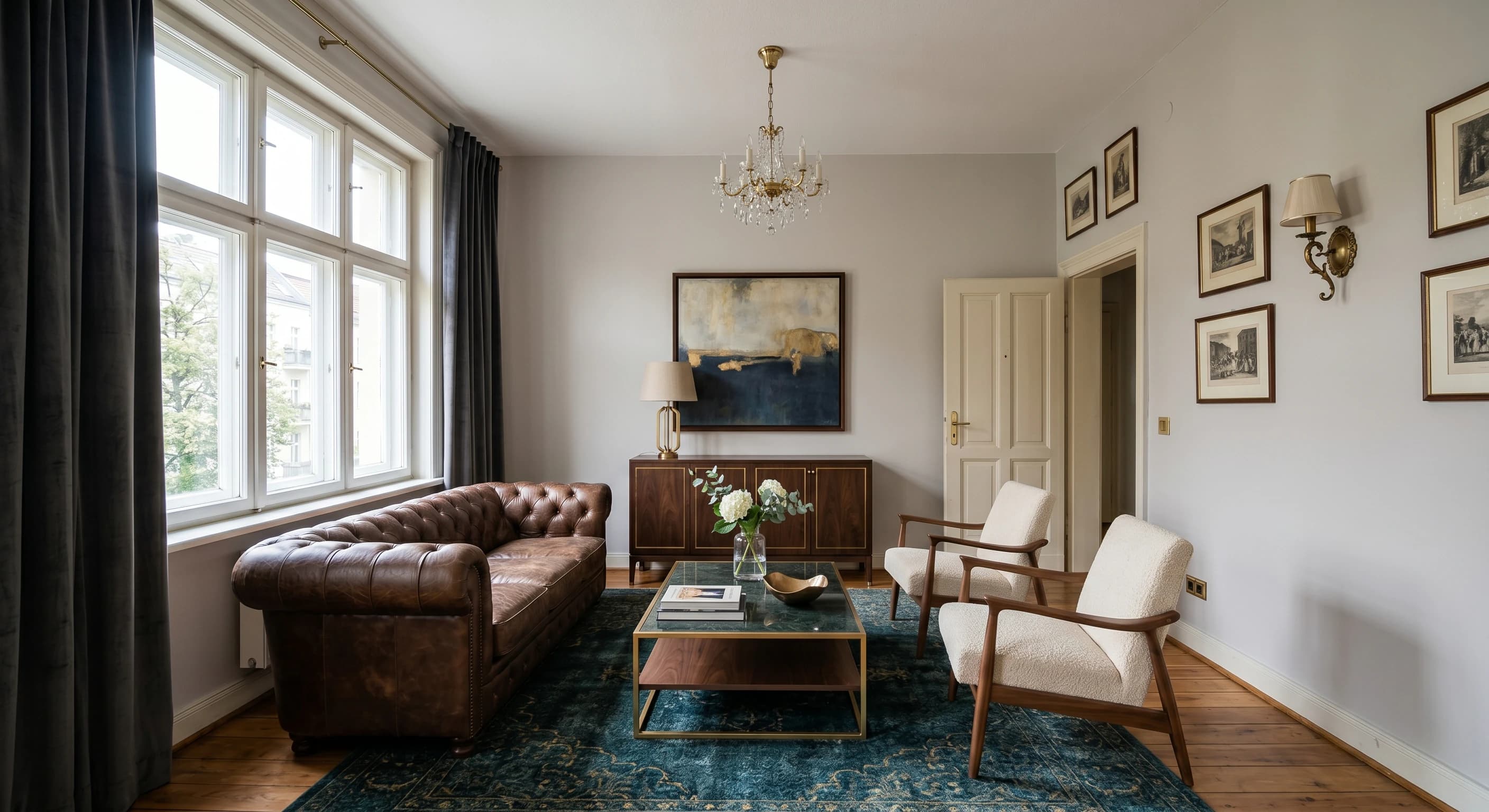
Resultados fotorrealistas en menos de un minuto
El pipeline de IA de Carve devuelve una imagen fotorrealista terminada en menos de un minuto, directamente en el navegador. No hay ninguna escena que montar ni ninguna GPU local que esperar.
Render directo desde un boceto o CAD
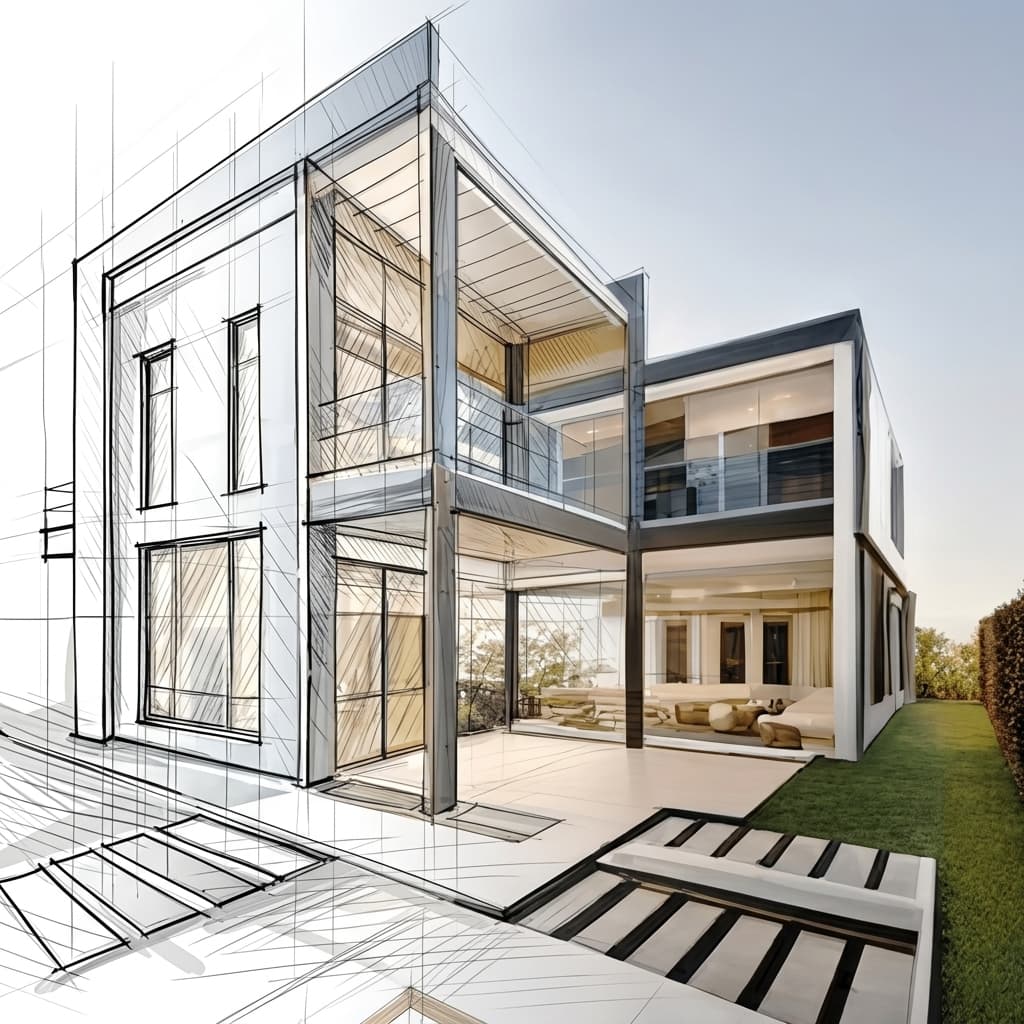
Sube un boceto a mano, un export de CAD o un modelo de SketchUp y Carve genera Renders directamente desde él. El enrutado de profundidad y bordes mantiene la geometría fiel a tu diseño.
Staging virtual desde una sola foto
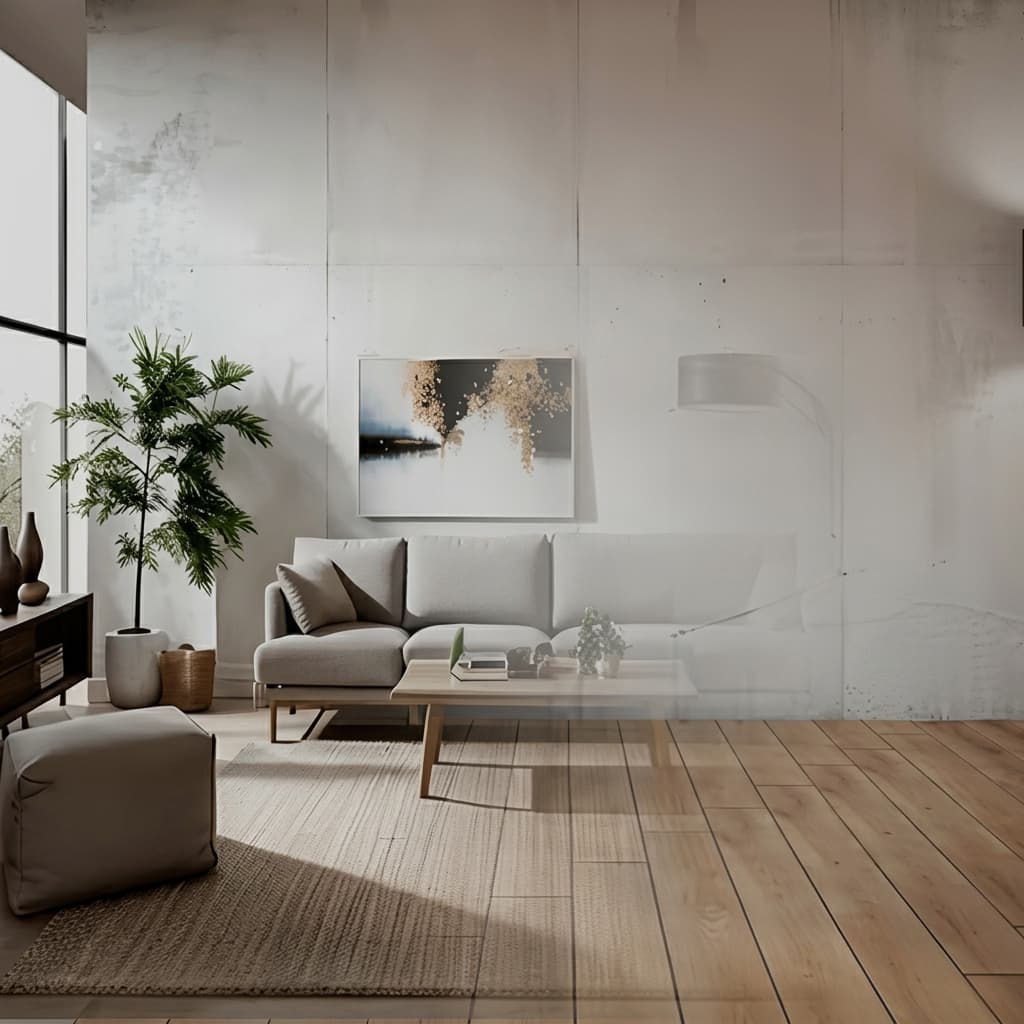
Amuebla y reestiliza una habitación vacía a partir de una sola fotografía. Sin modelo 3D ni ambientación manual, solo una imagen lista para publicar en tu anuncio.
Sin instalaciones, funciona en cualquier equipo
Carve funciona completamente en la nube, así que no hay nada que descargar ni ninguna GPU que comprar. Inicia sesión desde cualquier navegador en Mac, Windows o Chromebook y crea Renders a partir de exportaciones hechas en Revit, SketchUp, Rhino y más.

Una fracción del costo
Carve comienza en $29 al mes, sin contrato anual y sin hardware que comprar. Obtienes Renders fotorrealistas, listos para el cliente, por una fracción de lo que cuesta un estudio de renderizado tradicional o una suite de escritorio.
 Pushpit, Cofundador
Soporte liderado por el fundador
El motor de Render de Carve funciona con IA, pero el soporte detrás viene de las personas que construyen el producto. Contacta al equipo directamente por correo electrónico y chat en vivo, y obtén respuestas reales, normalmente en pocas horas.
Comparación de precios
Carve$29/mo (50 credits)
$29/mo (Starter)
Desglose por categoría
6 ejes donde las dos herramientas difieren más. Carve gana 2, MyArchitectAI gana 1, y 3 están empatados.
Velocidad de Render
TiedAmbos devuelven Renders fotorrealistas en segundos.
Entrada de CAD y boceto
TiedRenderiza tanto desde exportaciones CAD como desde bocetos a mano.
Precios
TiedLos niveles son casi idénticos a $29, $49 y $99 al mes.
Staging virtual
CarveCarve prepara habitaciones vacías a partir de una foto. MyArchitectAI no ofrece staging.
Acceso al video
CarveCarve incluye video corto en el plan de entrada. MyArchitectAI reserva Animate para niveles superiores.
Renders ilimitados
MyArchitectAIMyArchitectAI ofrece Renders ilimitados incluso en su plan de entrada, mientras que Carve los mide por créditos.
Comparación de funciones
CarveBased on each tool's publicly listed features. MyArchitectAI capabilities may change.
¿Para quién es MyArchitectAI la mejor opción?
MyArchitectAI es la mejor opción cuando buscas una herramienta enfocada de Render y mejora de imágenes, ilimitada y a bajo precio. MyArchitectAI es la mejor elección si:
- Principalmente necesitas Renders fotorrealistas rápidos a partir de CAD o bocetos
- Quieres Renders ilimitados en el plan básico
- No necesitas staging virtual ni un árbol de proyectos
- Prefieres una interfaz más sencilla, orientada al Render
¿Para quién es Carve ideal?
Carve es la opción más sólida cuando la velocidad, el costo y la accesibilidad son lo más importante. Considera Carve si:
- No tienes un equipo dedicado a Renders
- Trabajas con plazos de entrega ajustados
- Necesitas visuales de concepto y marketing rápido
- Quieres trabajar desde un Mac, Windows o un navegador
- Te importa el costo por imagen
¿Cuál deberías elegir?
Carve wins2Preparar una vivienda para su venta a partir de una foto
Carve incluye staging virtual; MyArchitectAI no.
Añadir un clip corto sin actualizar el plan
Carve incluye video corto en el plan de entrada.
Renders CAD de alto volumen sin gastar de más
Los renders ilimitados de MyArchitectAI en el plan de entrada se adaptan a un alto volumen de Renders.
Verdict
Veredicto final
MyArchitectAI y Carve son competidores muy cercanos con precios casi idénticos. MyArchitectAI ofrece Renders ilimitados en su plan de entrada y un flujo centrado en el Render. Carve añade staging virtual, vídeo en el plan de entrada y un flujo de trabajo de proyecto ramificado. Elige MyArchitectAI para Renders ilimitados en el núcleo, Carve para el conjunto de herramientas más amplio.
Descubre cómo Carve se compara con otras herramientas
Misma metodología de prueba, diferentes comparativas. Elige un competidor.
Carve es mucho más que una alternativa a MyArchitectAI.
Sube un boceto o exportación CAD y obtén un Render fotorrealista en menos de un minuto, a una fracción del costo de MyArchitectAI.
Gratis para comenzar. No se requiere tarjeta de crédito.
Preguntas frecuentes
Sí. Son similares en precio y en renderizado básico. Carve añade staging virtual, vídeo en el plan de entrada y un flujo de trabajo por proyectos; MyArchitectAI ofrece Renders ilimitados en su plan de entrada.