
Carve est l'alternative Visoid pour un rendu rapide et photoréaliste
Visoid transforme les vues de votre modèle 3D en visualisations IA rapides dans le navigateur, développé par une équipe axée sur les architectes. Carve est un renderer IA basé sur le navigateur qui intègre des entrées CAO et photo, la mise en scène virtuelle et la vidéo. Voici comment ils se comparent.
 Carve
CarveCarve vs Visoid : en un coup d'œil
Visoid is a clean, focused archviz tool. Export a view from your 3D software, upload it, and get a polished AI visualization in seconds. For architects who already model and want quick, good-looking results, it's well made.
Carve covers a wider input range. It renders from sketches, CAD exports, and photos, preserves geometry, and adds virtual staging and short video.
Pick Visoid for a tight, model-view-to-visualization loop. Pick Carve for broader inputs plus staging and video.
Carve
Rendu IA dans le navigateur pour les architectes, les designers d'intérieur et les équipes immobilières
$29
/mo
Strengths
- Renders à partir de croquis, de fichiers CAD et de photos
- Mise en scène virtuelle et vidéo courte
- Flux de travail de projet ramifié
- Intérieurs et extérieurs
Limitations
- Plus qu'un outil à usage unique
Visoid
Visualisation IA rapide à partir de vos vues de modèles 3D, dans le navigateur
$29
/mo
Strengths
- Workflow d'archviz propre et ciblé
- Résultats soignés à partir des vues du modèle
- Conçu par des architectes, simple à utiliser
- Basé sur navigateur avec un essai gratuit
Limitations
- Se concentre sur les vues de modèle, pas sur les fichiers CAD ni les croquis
- Pas de home staging virtuel
- Aucune sortie vidéo
Le crédit là où il est dû
Visoid est un outil soigné, conçu par des architectes, avec un flux de travail clair et des rendus régulièrement attrayants. Pour transformer des vues de modèle en visualisations rapidement, il fait bien son travail.
Cette page n'est pas là pour contester cela. Visoid se concentre sur les vues de modèle, donc le rendu de fichiers CAO, la mise en scène immobilière et la vidéo ne sont pas son cœur de métier. C'est là que Carve couvre davantage.
3 raisons de choisir Carve plutôt que Visoid
Les trois principales raisons pour lesquelles les équipes passent de Visoid à Carve.
Entrées plus larges
Carve crée des Renders à partir de croquis, d'exports CAD et de photos, pas seulement de vues de modèles.
Mise en scène virtuelle et vidéo
Carve met en scène des pièces vides et produit de courtes vidéos. Visoid se concentre sur les visualisations fixes.
Un projet, de nombreux résultats
Carve regroupe les Renders, les modifications et les animations dans un seul projet avec historique.
Une expérience de rendu fondamentalement différente
Visoid fonctionne mieux à partir d'une vue exportée depuis votre modèle 3D. Carve part d'un ensemble de points de départ plus large : un croquis, un export CAD, ou une photo, avec la géométrie préservée, ainsi que la mise en scène et la vidéo. La différence tient à l'étendue des entrées et à la richesse des sorties.
Pourquoi les agences modernes choisissent Carve plutôt que Visoid
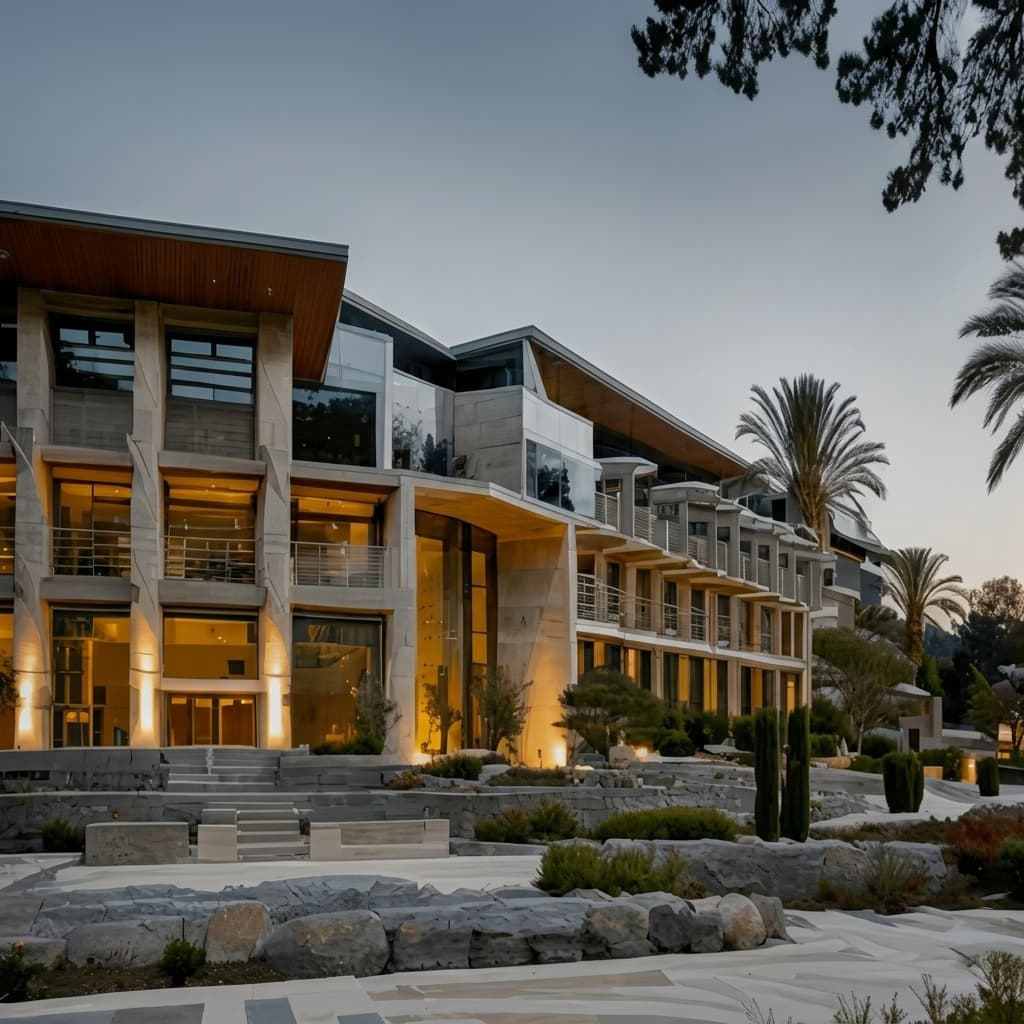
Des résultats photoréalistes en moins d'une minute
Le pipeline IA de Carve produit une image photoréaliste terminée en moins d'une minute, directement dans le navigateur. Pas de scène à assembler, pas de GPU local à attendre.

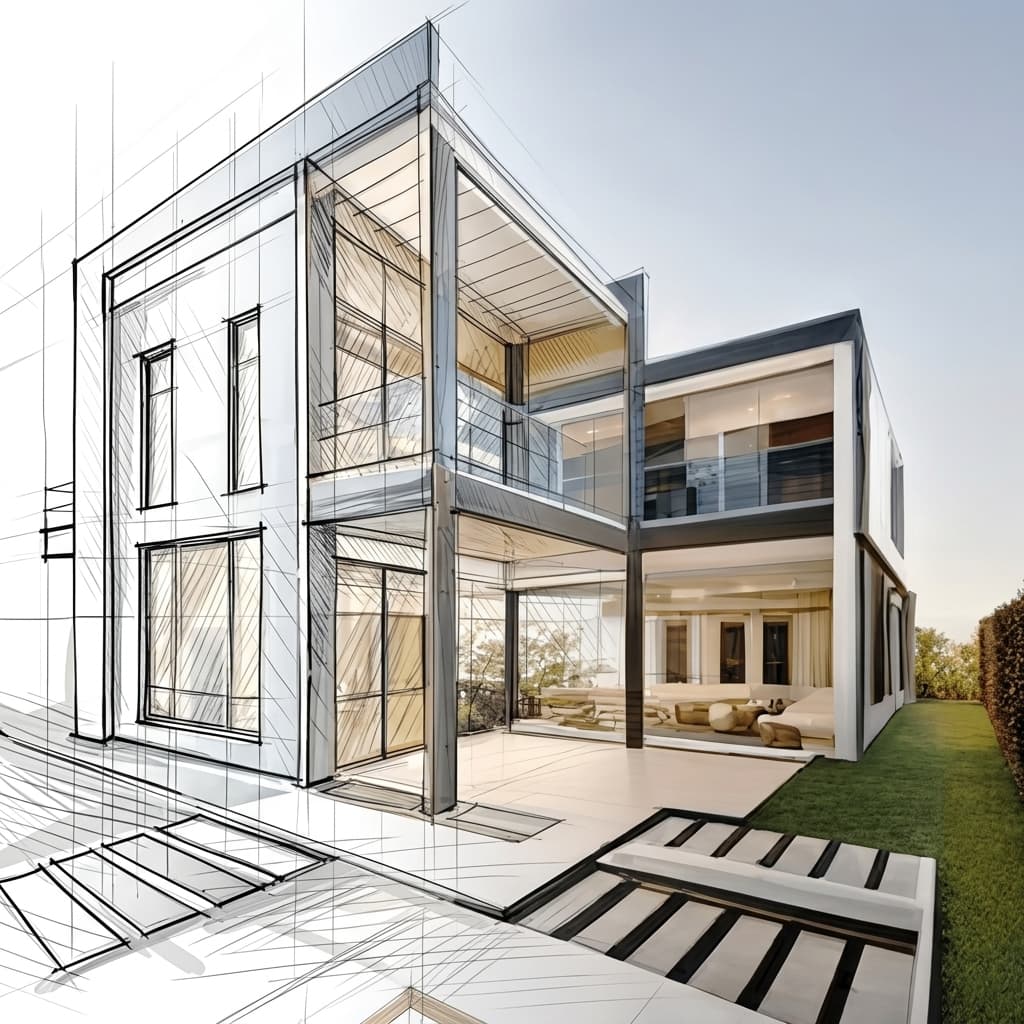
Render directement depuis un croquis ou un CAD
Importez un croquis à la main, un export CAD ou un modèle SketchUp et Carve produit des Renders directement depuis celui-ci. Le routage de profondeur et de contour préserve la géométrie fidèle à votre conception.
Mise en scène virtuelle à partir d'une seule photo
Meublez et restylisez une pièce vide à partir d'une seule photographie. Sans modèle 3D ni mise en scène manuelle, juste une image prête pour les annonces immobilières.

Aucune installation, fonctionne sur n'importe quelle machine
Carve fonctionne entièrement dans le cloud, sans rien à télécharger ni de GPU à acheter. Connectez-vous depuis n'importe quel navigateur sur Mac, Windows ou Chromebook et lancez des Renders à partir d'exports créés dans Revit, SketchUp, Rhino, et bien d'autres.

Une fraction du coût
Carve commence à 29 $ par mois, sans contrat annuel et sans matériel à acheter. Vous obtenez des Renders photoréalistes, prêts pour vos clients, à une fraction du coût d'un studio de rendu traditionnel ou d'une suite bureautique.
 Pushpit, Co-Fondateur
Support fondé par le fondateur
Le moteur de Render de Carve est alimenté par l'IA, mais le support qui l'accompagne vient des personnes qui construisent le produit. Contactez l'équipe directement par e-mail et chat en direct, et obtenez de vraies réponses, généralement en quelques heures.
Comparaison des tarifs
Carve$29/mo (50 credits)
$29/mo (Pro)
Analyse catégorie par catégorie
6 axes où les deux outils diffèrent le plus. Carve gagne 3, Visoid gagne 0, et 3 sont à égalité.
Vitesse de Render
TiedLes deux génèrent des visualisations IA en quelques secondes.
Plage de saisie
CarveCarve crée des Renders à partir de croquis, fichiers CAD et photos. Visoid se concentre sur les vues de maquettes.
Rozumiem zasady. Jestem gotowy do tłumaczenia treści SEO na język polski zgodnie z podanymi wytycznymi. Prześlij tekst, który chcesz przetłumaczyć.
TiedLes deux produisent des résultats photoréalistes propres et attrayants.
Mise en scène virtuelle
CarveCarve transforme des pièces vides à partir d'une photo. Visoid ne le fait pas.
Vidéo
CarveCarve inclut de courtes vidéos. Visoid se concentre sur les images fixes.
Tarifs
TiedLes deux proposent un essai gratuit et démarrent à environ 29 $/mois.
Comparaison des fonctionnalités
CarveBased on each tool's publicly listed features. Visoid capabilities may change.
Pour qui Visoid est-il le mieux adapté ?
Visoid convient mieux si vous modélisez déjà et souhaitez une boucle vue-vers-visualisation fluide. Visoid est le meilleur choix si vous :
- Produisez déjà des vues de modèles 3D à Render
- Voulez un outil d'archviz concentré et soigné
- Préférez la simplicité à un ensemble d'outils étendu
- N'avez pas besoin de mise en scène ni de vidéo
Pour qui Carve est-il fait ?
Carve est le choix le plus judicieux quand la rapidité, le coût et l'accessibilité sont prioritaires. Optez pour Carve si vous :
- N'avez pas d'équipe dédiée au Render
- Travaillez avec des délais clients serrés
- Avez besoin de visuels de concept et de marketing rapidement
- Voulez travailler depuis un Mac, Windows ou un navigateur
- Faites attention au coût par image
Lequel choisir ?
Carve wins2Rendu à partir d'un croquis ou d'une photo
Carve génère des Renders à partir de croquis, de fichiers CAD et de photos ; Visoid se concentre sur les vues de modèles.
Mettre en scène un bien immobilier à partir d'une photo
Carve inclut la mise en scène virtuelle ; Visoid ne le propose pas.
Visualiser une vue depuis votre modèle 3D
La boucle de Visoid repose sur une entrée modèle-vue.
Verdict
Verdict final
Visoid est un outil épuré et ciblé pour transformer des vues de modèles en visualisations. Carve couvre un périmètre plus large, avec des entrées sketch, CAD et photo, ainsi que la mise en scène virtuelle et la vidéo. Choisissez Visoid pour un flux de travail resserré, Carve pour la polyvalence.
Découvrez comment Carve se compare aux autres outils
Même méthodologie de test, différentes comparaisons. Choisissez un concurrent.
Carve est bien plus qu'une alternative à Visoid.
Importez un croquis ou un export CAD et obtenez un Render photoréaliste en moins d'une minute, pour une fraction du coût de Visoid.
Gratuit pour commencer. Aucune carte de crédit requise.
Questions fréquemment posées
Oui, surtout si vous souhaitez des entrées plus variées. Carve produit des Renders à partir d'esquisses, de fichiers CAD et de photos, et intègre la mise en scène et la vidéo. Visoid reste un choix épuré pour la visualisation de modèles 3D.