
Architecture firms with active CAD pipelines use Carve to produce client-ready photorealistic Renders in-house, without a dedicated visualization team or outsourced studio.
Accepts CAD exports, sketches, and reference photos
Sending CAD files to an external studio means waiting days for a first draft, then more days for revisions. Each round costs budget and erodes the client relationship.
3-7 days per revision roundA licensed rendering pipeline requires a trained operator, expensive software seats, and render-farm hardware. Most firms can not justify the overhead for everyday presentation work.
Exporting to a renderer often means manually fixing meshes, re-applying materials, and rebuilding lighting. By the time output is ready, the design has already moved on.
Drop your CAD file directly into Studio. Carve reads the geometry without manual mesh repair or material reassignment.
Pick from 49+ architectural styles in Exterior AI or Interior AI, then set the light angle, atmosphere, and finish in a few clicks.
Your photorealistic Render is ready in under 60 seconds. Download, share, or run Style Transfer to produce variations for the same scene.
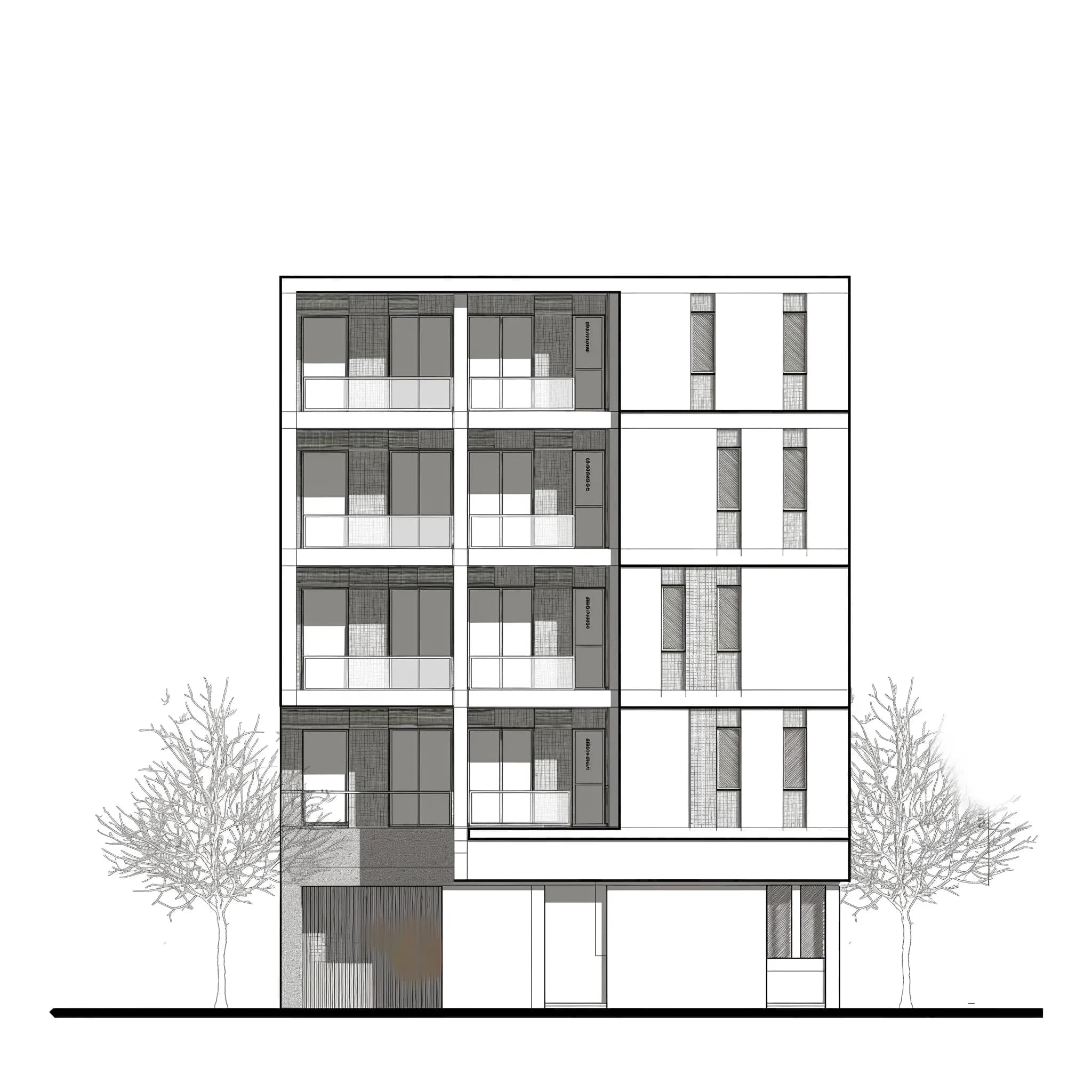 CAD elevation
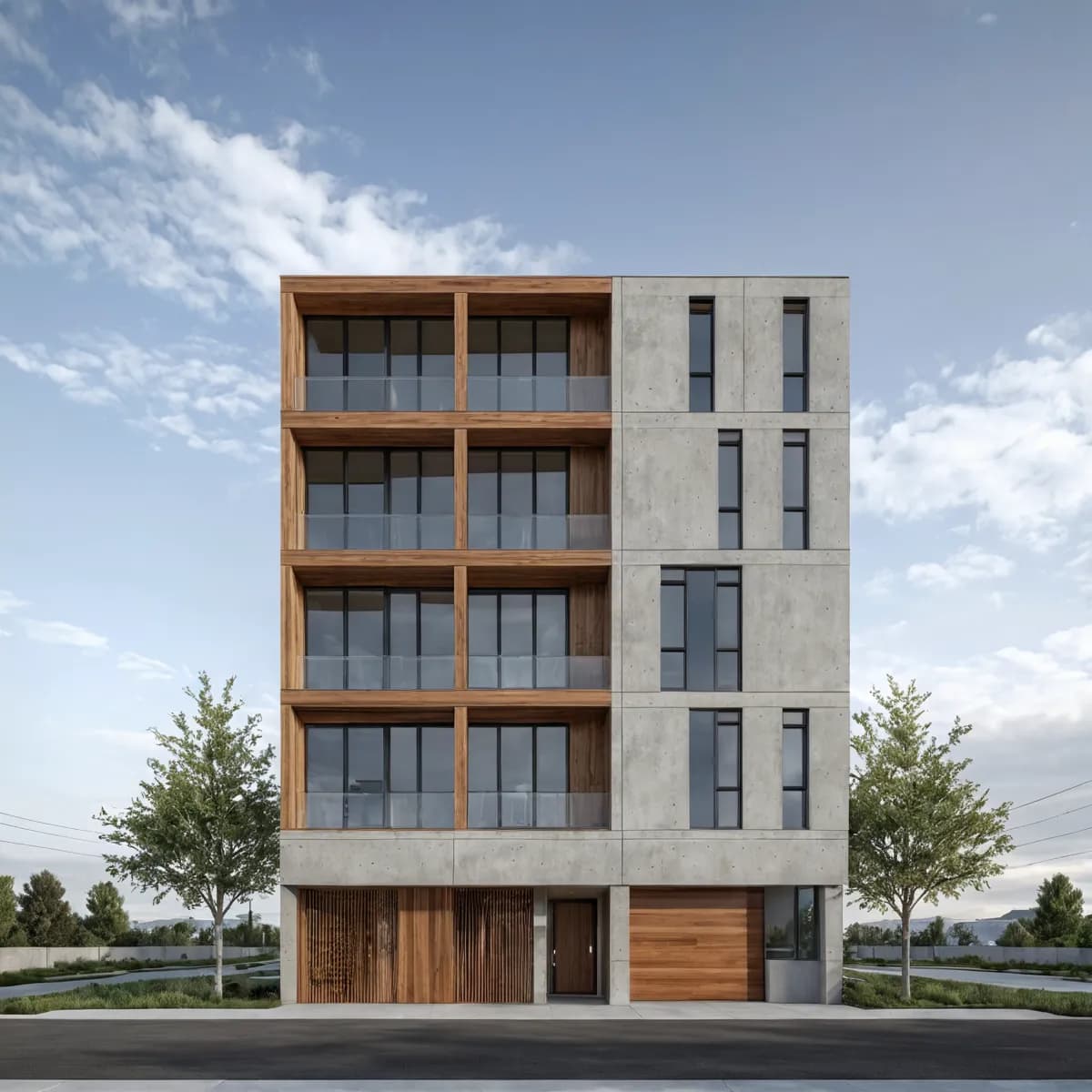 Photoreal output
Carve preserves the structural geometry from your export so walls, openings, and massing read correctly in the output. You are not redrawing anything. The model you built is the model that renders.

Use Edit & Modify inside Studio to swap cladding, glazing, or interior finishes directly on a completed Render. Run Style Transfer to apply a different aesthetic to the same geometry in seconds.

“The bottleneck was never the design itself. It was the gap between a finished model and something a client could actually respond to. Closing that gap in under a minute changes how you run a project meeting.”
Open Studio, upload your CAD export, and have a photorealistic image ready before your next client call. No render farm required.
No credit card needed to get started
Les étudiants en architecture utilisent Carve pour transformer les dessins de leurs projets Studio en renders prêts pour le portfolio en moins de 60 secondes, sans pipeline de visualisation requis.
Créez des Renders de rénovation photoréalistes en moins de 60 secondes. Aidez les propriétaires à visualiser les résultats avant/après avant de signer un contrat.
Produisez des Renders précis pour les demandes de permis de construire pour des extensions résidentielles en moins de 60 secondes. Offrez aux agents d'urbanisme et aux voisins une vue claire et photoréaliste.
Transformez n'importe quelle structure en Render photoréaliste en moins d'une minute.
En savoir plus →Donnez vie à vos images fixes avec des mouvements de caméra cinématiques.
En savoir plus →Appliquez un Style Transfer cohérent à l'ensemble d'un projet.
En savoir plus →