
Architects and designers use Carve to convert early hand sketches into photorealistic renders before a full 3D model exists, so presentations land with confidence.
Works on sketches, CAD exports, and photos
Clients struggle to read hand drawings. You know what the space will feel like, but a pencil sketch rarely convinces a client to commit budget or sign off on a direction.
~72% of clients need visuals to approve a conceptBuilding a full model just to validate an early idea burns drafting hours on concepts that may not proceed. Most studios can't justify that cost at the schematic stage.
2-5 days typical for a modeled renderSending sketches to a visualization studio means briefing someone else, waiting on revisions, and paying per scene. Feedback loops stretch to a week or more.
£1,500-£5,000 per outsourced scenePhotograph or scan your hand drawing and upload it directly to Studio. JPEG, PNG, and PDF are all accepted, no preparation needed.
Choose a style from the 49+ presets or describe the mood in a prompt. Carve reads your lines and geometry, then generates a photorealistic Render in under 60 seconds.
Bring the Render into your presentation as-is, or use Edit & Modify to refine materials, lighting, or furniture before the client meeting.
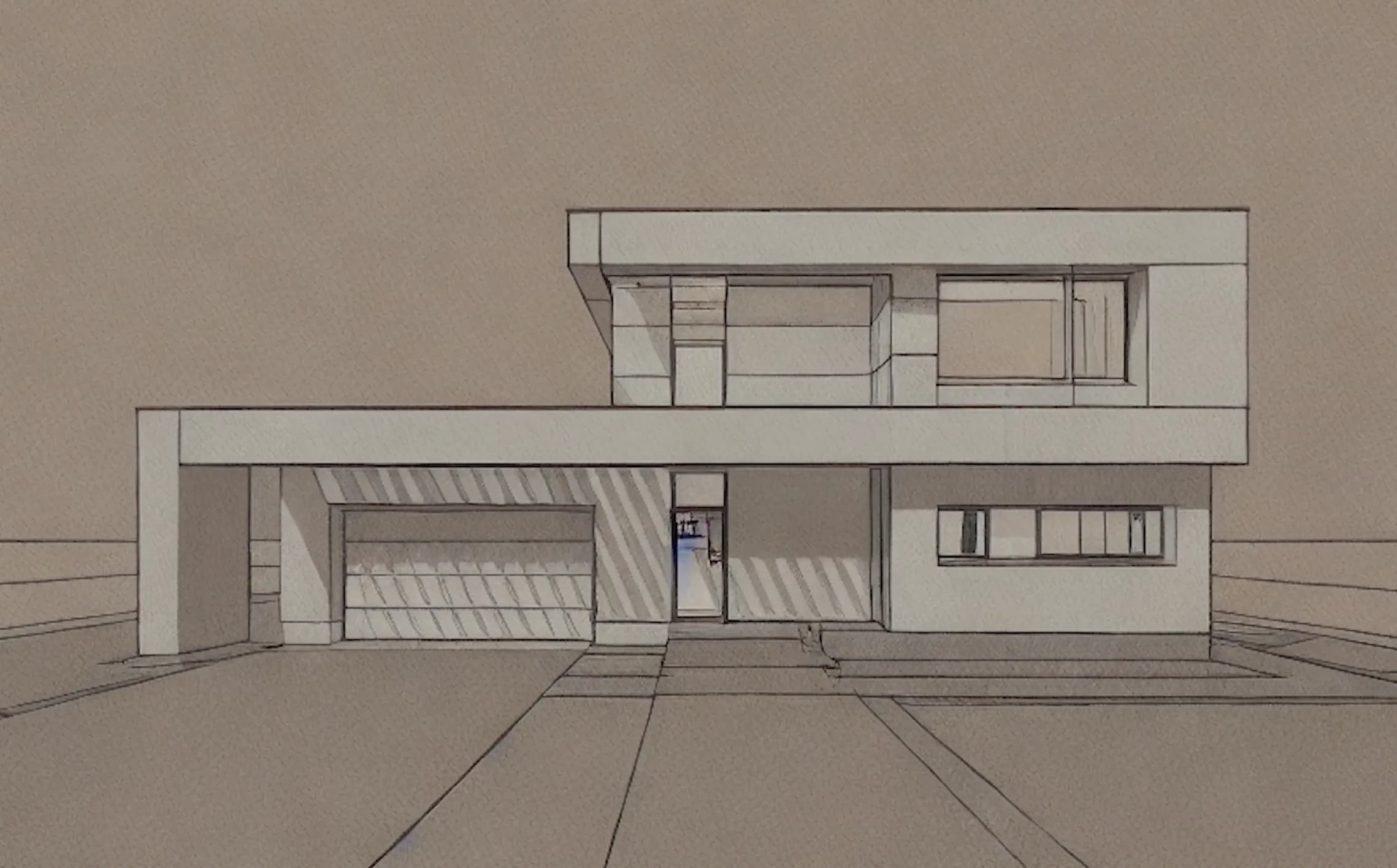 Hand sketch
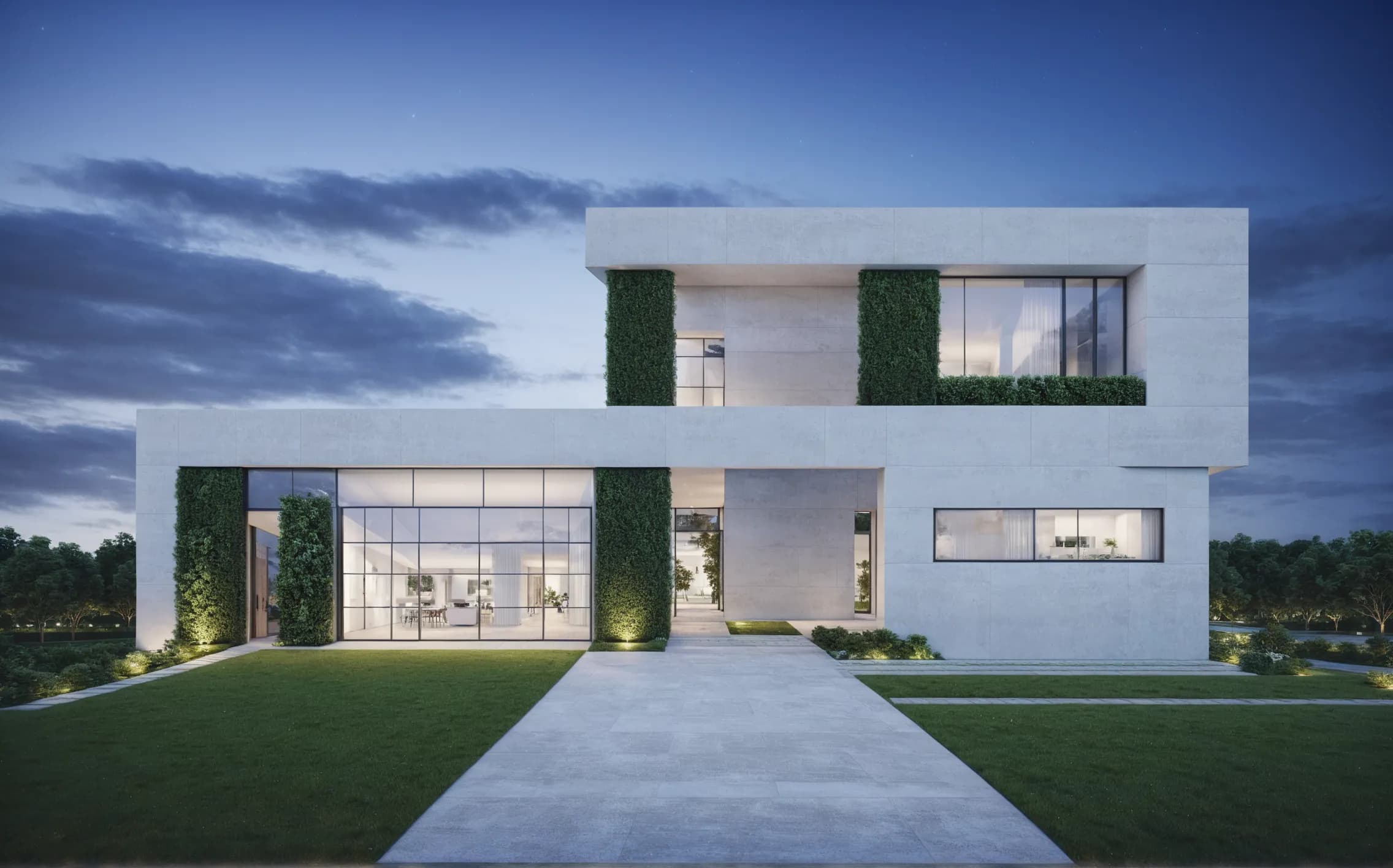 Photoreal render
Carve's Sketch to Image reads the proportions and spatial intent in your drawing without requiring a traced or cleaned-up version. The output respects your composition while adding material, light, and depth. You keep authorship, the AI fills in the photorealism.

Edit & Modify lets you swap finishes, change the time of day, or shift the color palette directly inside Studio. No re-upload, no new brief. Changes render in the same sub-60-second window as the original.

“Clients approve concepts faster when they can see a finished space rather than interpret a drawing. Getting a photorealistic image from a sketch before any model exists changes the whole dynamic of a first presentation.”
Upload a hand drawing to Studio and have a client-ready Render before your next meeting. No model, no outsourcing, no waiting.
No credit card needed to try
Les étudiants en architecture utilisent Carve pour transformer les dessins de leurs projets Studio en renders prêts pour le portfolio en moins de 60 secondes, sans pipeline de visualisation requis.
Créez des Renders de rénovation photoréalistes en moins de 60 secondes. Aidez les propriétaires à visualiser les résultats avant/après avant de signer un contrat.
Produisez des Renders précis pour les demandes de permis de construire pour des extensions résidentielles en moins de 60 secondes. Offrez aux agents d'urbanisme et aux voisins une vue claire et photoréaliste.
Transformez n'importe quelle structure en Render photoréaliste en moins d'une minute.
En savoir plus →Donnez vie à vos images fixes avec des mouvements de caméra cinématiques.
En savoir plus →Appliquez un Style Transfer cohérent à l'ensemble d'un projet.
En savoir plus →