
Renders IA pour Fabricants de Meubles
Render les concepts de mobilier avant le début de la production. Montrez à vos clients des visuels de qualité Studio pour des pièces sur mesure, dans leur propre espace, dans le finition souhaitée, en moins de 60 secondes.
Du concept à la commande, plus rapide
Importez un croquis ou un dessin technique d'une pièce sur mesure — table de salle à manger, canapé, armoire ou buffet — et générez un Render photoréaliste. Montrez à vos clients ce qu'ils commandent avant qu'une seule machine ne démarre.
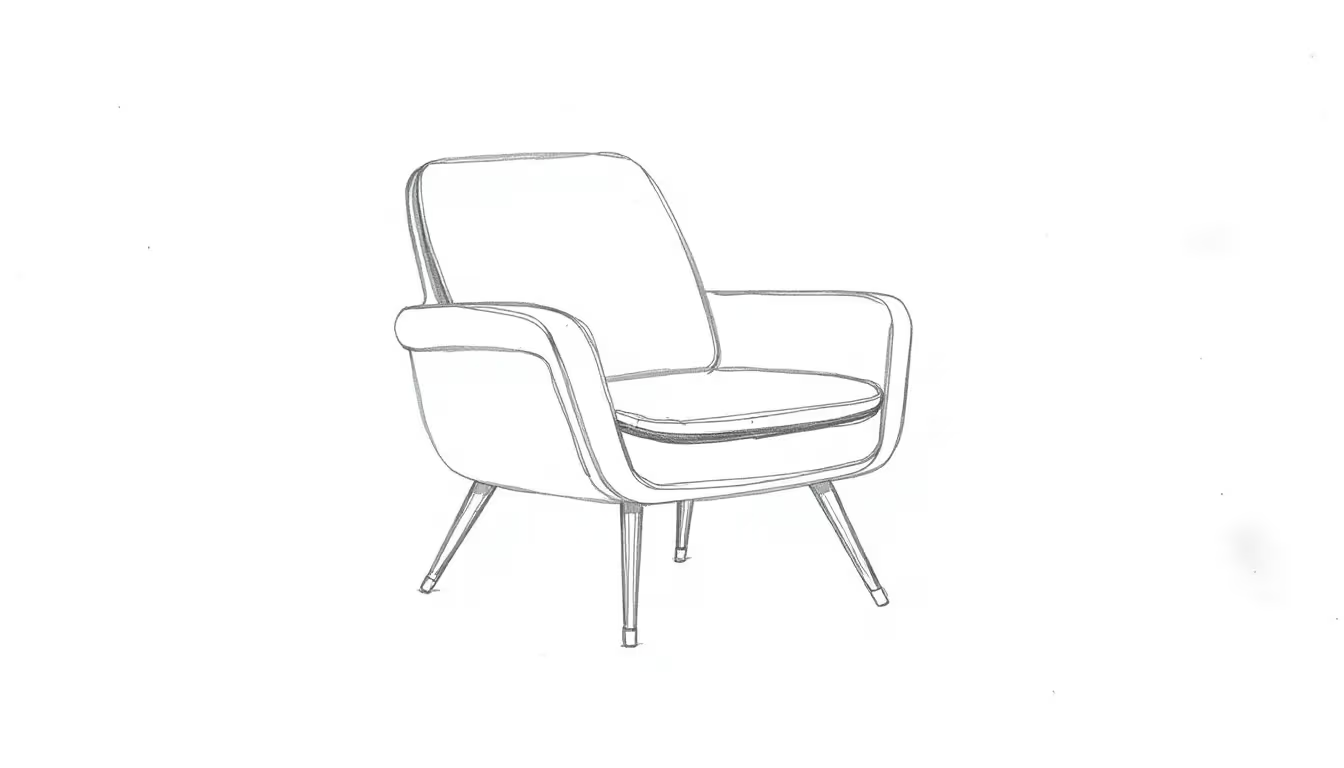 Esquisse de conception
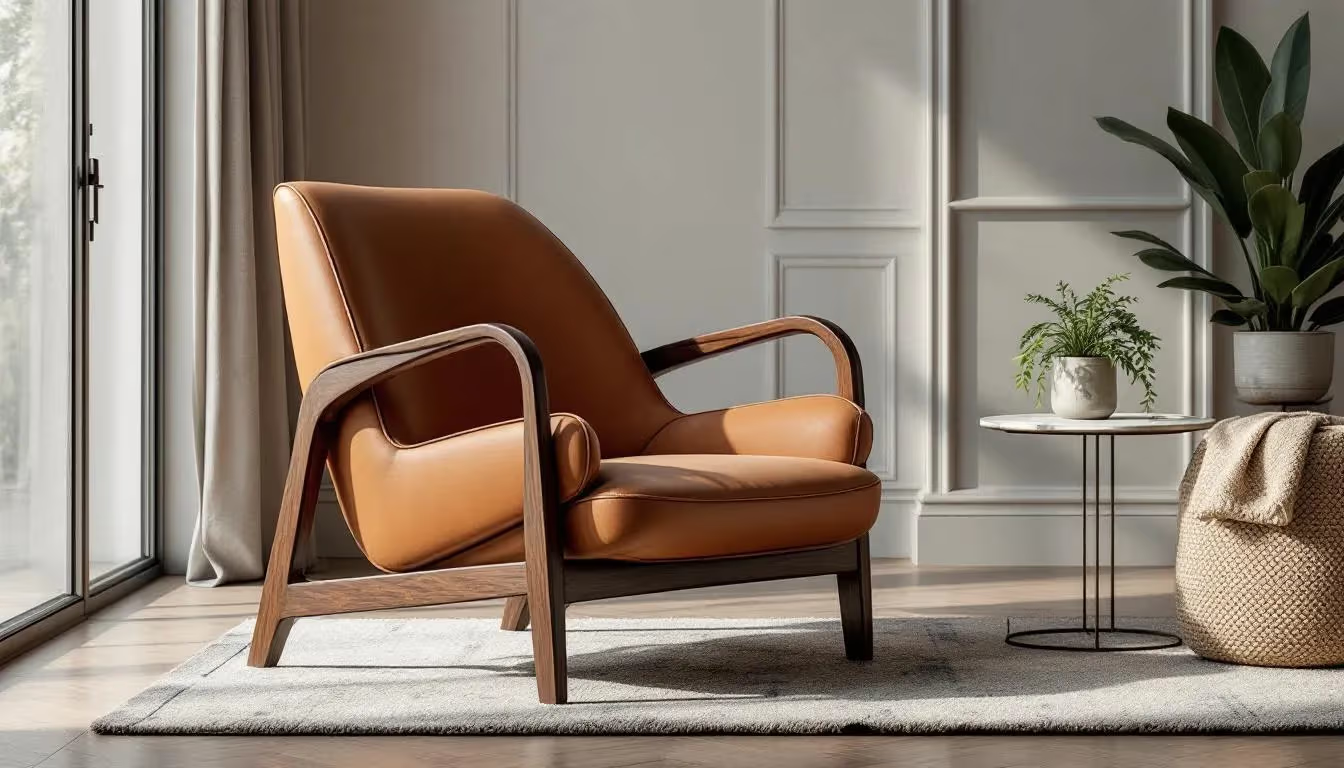 Render photoréaliste
Les problèmes que Carve résout
Avant Carve
Les clients commandent à l'aveugle
Un plan technique indique à l'artisan ce qu'il doit construire, mais ne dit presque rien au client. Le doute et l'hésitation retardent la validation.
Concurrencer sur le prix, pas sur le savoir-faire
Sans visuels convaincants, il est difficile de distinguer un travail sur mesure des alternatives en kit. Un positionnement tarifaire premium devient difficile à justifier.
Cycles d'approbation de conception trop lents
Plusieurs cycles de révision avant la confirmation d'une commande mobilisent votre temps et retardent le calendrier de production.
Avec Carve
Visuels qui justifient le prix
Les Renders de qualité Studio de pièces sur mesure communiquent le savoir-faire avant le premier coup de ciseau. Les clients perçoivent la valeur immédiatement.
Validation de la commission en une seule réunion
Montrez la pièce dans la propre pièce du client, dans la finition choisie. Il la voit, l'aime, et signe la commande sur-le-champ.
Moins de cycles de révision
Lorsque les clients voient un Render photoréaliste dès le départ, ils prennent de meilleures décisions et changent moins d'avis une fois la production lancée.
Tout ce dont vous avez besoin pour vendre la pièce
Renders de pièces sur mesure
Des tables de salle à manger aux canapés, lits, armoires et étagères, transformez chaque esquisse ou dessin technique en Render photoréaliste.
Options de matériaux et finitions
Présentez la même pièce en chêne, noyer, finition peinte, cuir ou tissu d'ameublement. Aidez vos clients à valider les spécifications avant la production.
Mise en situation dans la pièce
Placez le meuble dans une photo de la pièce du client. L'échelle, l'éclairage et les proportions s'intègrent correctement dans leur espace réel.
Aperçus de quincaillerie et de détails
Prévisualisez différents styles de pieds, détails d'assemblage, poignées et profils de chants. Validez chaque choix avant la première coupe.
Comparaisons de variantes de design
Générez deux ou trois directions de design à partir du même brief. Présentez-les côte à côte et laissez le client choisir.
Rendu portfolio en 4K
Des Renders photoréalistes prêts pour votre site web, Instagram et catalogues imprimés, sans séance photo.
Votre atelier, désormais avec un studio photo
Renders en 60 secondes
Un visuel de commande prêt dès qu'un client décrit le projet.
Facturez des tarifs premium
Les visuels Studio signalent la qualité de votre savoir-faire avant même que la pièce existe.
Remportez des commissions plus rapidement
Les clients qui voient le meuble dans leur espace s'engagent dès la première rencontre.
Moins de modifications de cahier des charges en cours de construction
Des visuels clairs dès le départ signifient que les clients s'engagent avant même que vous commenciez à couper.
Tout matériau, toute finition
Explorez instantanément les essences de bois, les teintes de peinture et les options de tissu d'ameublement.
Constituez votre portfolio
Générez des visuels saisissants de vos réalisations passées et à venir, sans séance photo.
Questions de fabricants de meubles
Croquis à la main, dessins cotés, captures d'écran CAO ou photographies d'une pièce de référence, en JPG ou PNG. Carve lit la forme et la géométrie automatiquement, afin que les proportions restent fidèles au design original.
Prêt à laisser votre savoir-faire se passer de mots ?
Rejoignez les fabricants de meubles qui utilisent déjà Carve pour remporter des commissions plus rapidement, justifier des tarifs premium et constituer un portfolio qui attire les bons clients.